App Store Connect Warning 91167: Missing arm64 Architecture Explained
15 Nov 2025
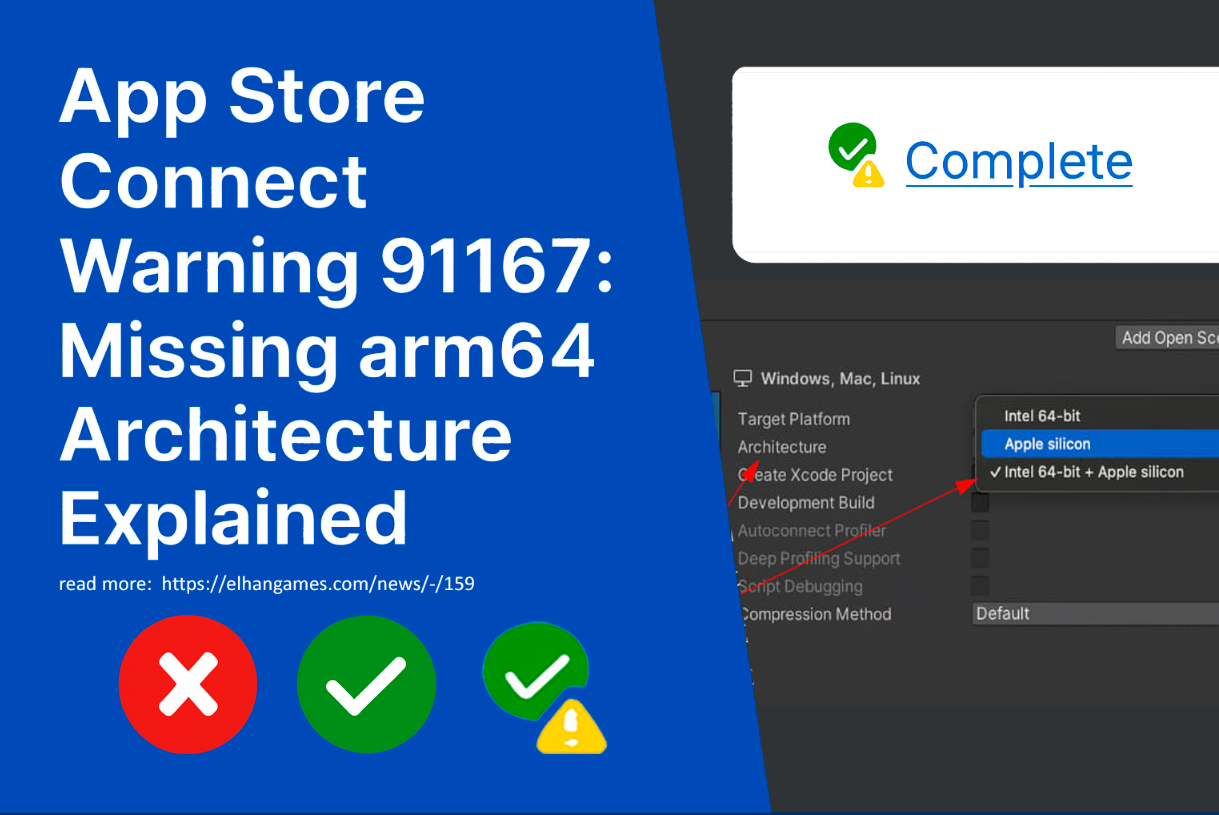
Error 91167 in App Store Connect means that your app doesn't contain a binary for the arm64 architecture, which is required for Apple Silicon devices. Despite the "Complete" status, the warning indicates a potential issue that needs to be addressed.
What does warning 91167 mean?
When uploading an app to App Store Connect, you may encounter the following warning:
91167: Missing architecture. The “.app” bundle doesn't include an arm64-capable binary.*
This means that your .app bundle lacks support for the arm64 architecture, which is used on modern Apple devices—such as iPhone, iPad, and Mac with M1/M2/M3 chips.
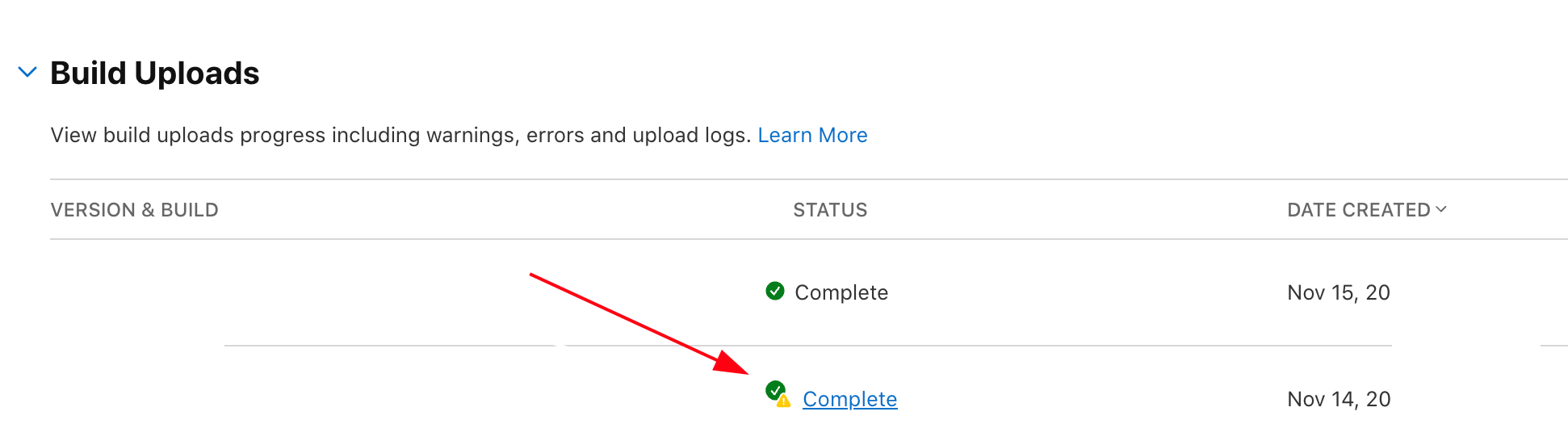
How to interpret the screenshot
The screenshot shows:
A green circle with a checkmark indicates a "Complete" status, meaning the app has passed the automatic verification.
A yellow triangle with an exclamation point indicates a warning, not an error. It doesn't block publishing, but it signals a potential incompatibility.
Why does this error occur?
Most common causes:
You built the app only for x86_64 (simulator or Intel Mac).
You disabled Standard Architectures in Xcode preferences.
You are using third-party libraries that don't support arm64.
How to fix
1. Enable Standard Architectures support
Open Xcode → Build Settings → find the Architectures setting and make sure it's set to:
$(ARCHS_STANDARD)
This ensures that the binary is built with arm64 and x86_64 support.
2. Check Build Active Architecture Only
For the Release configuration, set:
Build Active Architecture Only = NO
This will build all target architectures, not just the current one.
3. Ensure third-party libraries support arm64
If you're using CocoaPods, Carthage, or Swift Package Manager:
Check that dependencies aren't restricted to the x86_64 architecture.
If necessary, rebuild them with arm64 support.
4. Manually verify the binary
In the terminal, run:
#bash
lipo -info YourApp.app/YourApp
Expected result:
Architectures in the fat file: YourApp are: arm64 x86_64
If arm64 is missing, the app won't run on Apple Silicon devices.
5 One alternative solution to the missing arm64 architecture issue when building for macOS is to manually select the correct architecture.
Manually Selecting an Architecture in Unity Build Settings.
Manually Selecting an Architecture in Unity Build Settings.
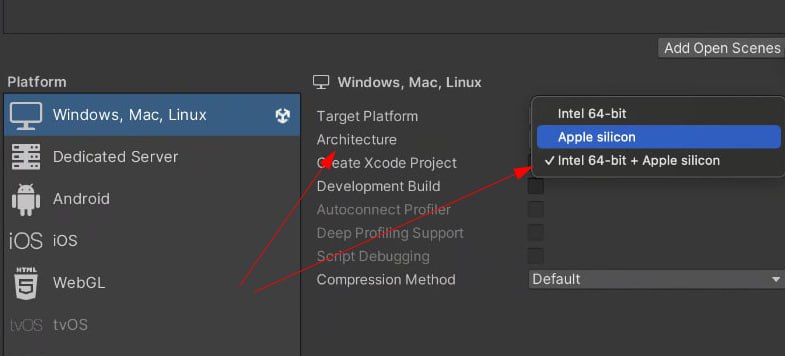
If you're building for macOS and want to avoid warning 91167 in App Store Connect, follow these steps:
5.1. Open Build Settings
In Unity, go to File → Build Settings
Select the "macOS" platform (under "Mac, Windows, Linux")
5.2. Click "Player Settings"
The platform settings will appear on the right side of the window.
5.3. Find the "Architecture" option.
In the "macOS Settings" section, find the "Architecture" drop-down list.
Select the option: Intel 64-bit + Apple silicon.
This will create a universal binary that supports both x86_64 and arm64, which fully complies with App Store Connect requirements.
Can I publish with this warning?
Yes, App Store Connect allows publishing if there are no critical errors. However:
The app may not run on real devices.
You risk being rejected during Apple's manual review.
Recommendation
Even if the status is "Complete," don't ignore the warning. Make sure your application includes an arm64 binary, especially if you want to support modern devices.
Related games
Jungle Cars Trip Multiplayer - Invite your friends!
Game: Perform tasks and rest cool. 19842 people play!
Play gameElectron in the transistor-resistor kingdom
Game: Perform tasks and rest cool. 19798 people play!
Play gameRelated news
Types of Platforms and Colliders in Unity (2D)
In 2D games on Unity, there are two key concepts that are closely related to each other - platforms and colliders. At fi...
Read more
Congratulations on leveling up in your gaming adventures!
Congratulations on leveling up in your gaming adventures!
Read more
Physic Material in Unity: All About Friction, Elasticity, an...
In Unity, the Physic Material component plays a key role in controlling the physical behavior of objects during collisio...
Read more