Types of Platforms and Colliders in Unity (2D)
06 Jun 2026
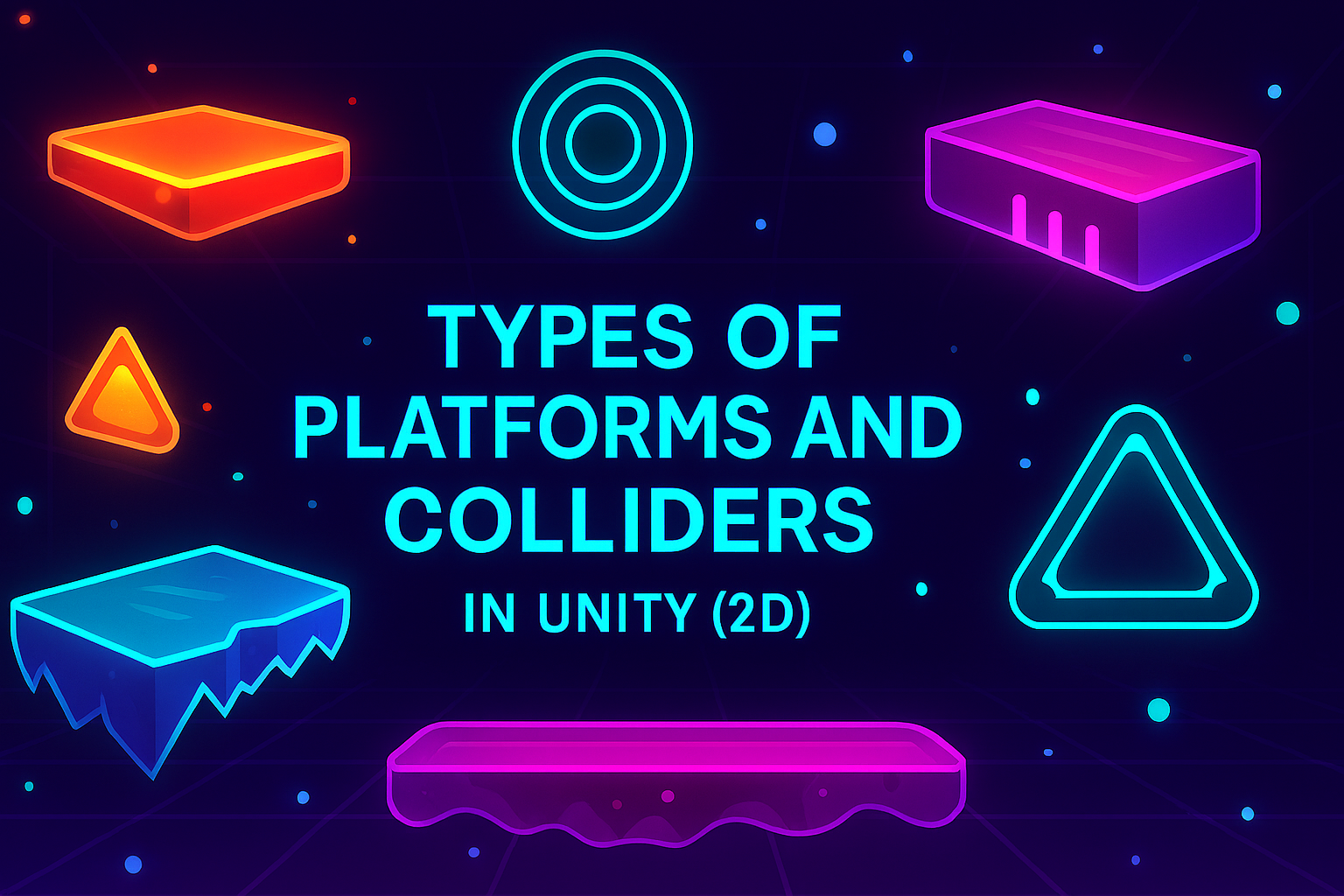
In 2D games on Unity, there are two key concepts that are closely related to each other - platforms and colliders. At first glance, they play different roles: a platform is a part of the game world on which a character can stand or move, and a collider is an invisible boundary that determines the physical properties of an object. However, in reality, a platform without a collider is just a picture, and a collider without a platform is an invisible wall.
It is their interaction that creates a full-fledged game object: the player sees a platform sprite and can stand on it, jump or collide with its surface thanks to the collider. The difference is that the platform describes "what it is" in terms of gameplay, and the collider is responsible for "how to interact with it" in terms of physics.
Thus, platforms and colliders are two sides of the same coin: a visual and physical representation of an object in Unity. Understanding their similarities and differences helps you create both simple static surfaces and complex dynamic structures, from moving elevators to destructible blocks and one-way clouds.
Types of platforms in Unity
In 2D games, a platform is an object on which the player can stand. In Unity, platforms are created using Sprite Renderer (visual part) and Collider 2D (physical part). Different types of platforms depend on how the player interacts with them.
1. Static platforms
Do not move, always stay in one place.
Most often used for floors, walls, simple blocks.
Implementation: Box Collider 2D + Sprite.
Example: ground, stone, brick wall.
2. Movable platforms
Move in space (horizontally, vertically or in complex trajectories).
The player must move with them.
Implementation: movement script + collider.
Example: elevator, moving platform over an abyss.
3. One Way Platforms
The player can jump through the platform from below, but stands on top of it.
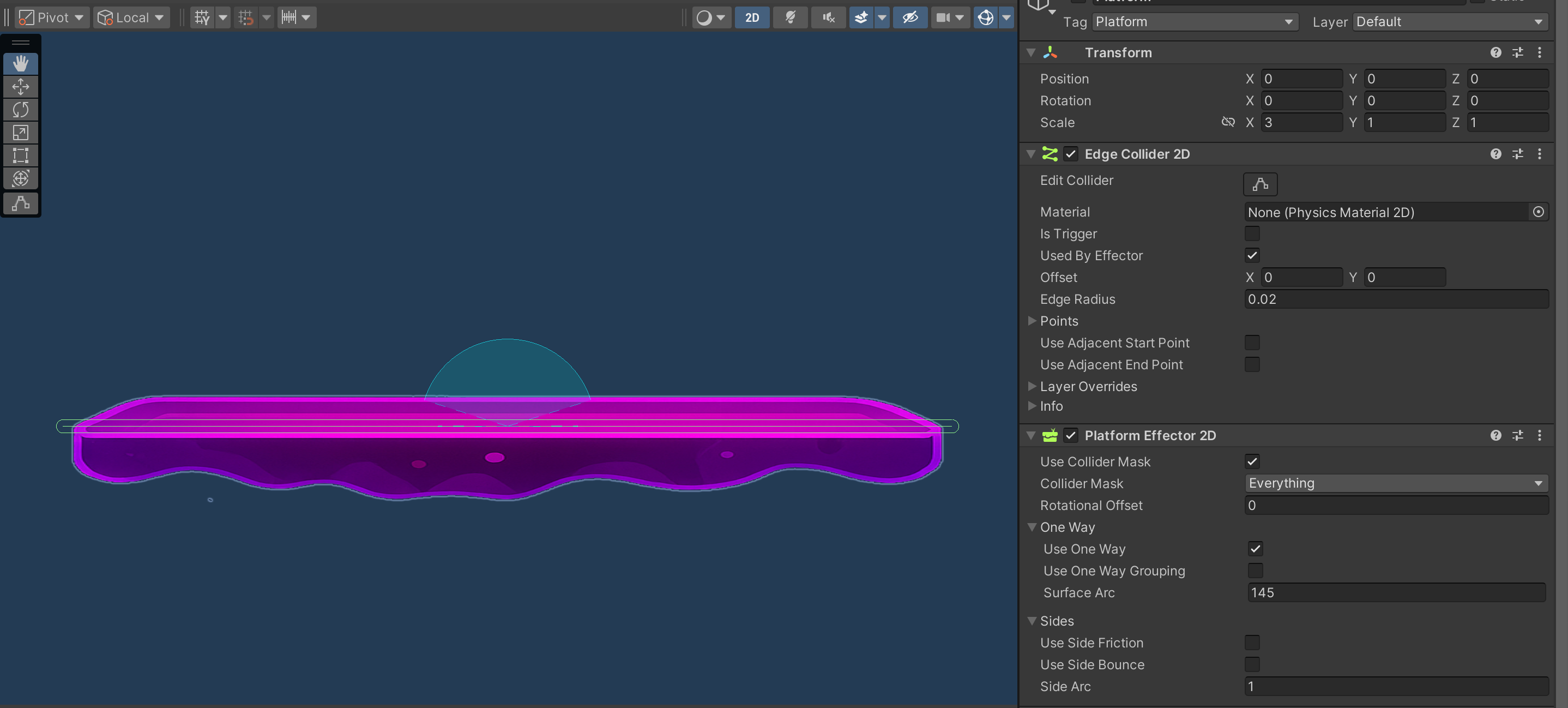
Implementation: Box Collider 2D or Edge Collider 2D + Platform Effector 2D.
Example: wooden bridges, clouds in platformers.
4. Destructible platforms
After interaction (stepping/hitting), they disappear or break.
Implementation: Collider 2D + script that disables it or destroys the object.
Example: blocks in Mario that break after being hit from below.
5. Timed platforms
Appear or disappear after a set time.
Can react to player actions.
Implementation: Collider 2D + Sprite + timer.
Example: platforms that disappear 2 seconds after the player steps on them.
6. Traps (dangerous platforms)
Look like regular platforms, but deal damage or kill the player.
Implementation: Collider 2D + script with OnCollisionEnter2D.
Example: platform with spikes, electric platform.
7. Platform Effector 2D (component)
This is a special component that modifies the behavior of a collider (usually Box Collider 2D or Edge Collider 2D) to implement the mechanics of one-way platforms.
Allows the player to jump through the platform from below and stand on top of it.
Works with any collider (it must be attached to an object with a collider).
Main properties:
Use One Way – the main parameter: enables one-way collision (works only on one side).
Use One Way Grouping – groups several platforms so that objects do not get stuck when moving between them.
Surface Arc – the angle at which the platform acts. For example, if you set 180°, the platform will “accept” the player only from above.
Rotational Offset – rotation of the area of action. Useful if the platform is tilted.
Use Side Friction / Use Side Bounce – enables friction and side bounce. Usually turned off so that the player does not get stuck.
A typical example of using them together:
Create a GameObject with Edge Collider 2D, draw a platform line.
Add Platform Effector 2D to this object.
In Edge Collider 2D, check the Used by Effector box.
Now you have a platform that you can jump on from below, but stand on top of.
Types of 2D colliders in Unity
Colliders in Unity define the physical shape of an object. There are several types in 2D, and the choice depends on what shape needs to be implemented.
1. Box Collider 2D
Rectangular shape.
Simple and fast to calculate.
Used for walls, floors, boxes, doors.
2. Circle Collider 2D
Round collider.
Convenient for round objects (ball, wheel).
Works well for rolling objects.
3. Capsule Collider 2D
Oval shape (like a capsule).
Great for characters, as it slides easily over surfaces.
4. Polygon Collider 2D
Automatically creates a shape based on the outline of the sprite.
Suitable for objects with complex geometry.
Con: heavy on performance.
5. Edge Collider 2D
A line-based collider (a chain of points).
Used to create terrain or open lines (e.g. mountain roads).
Does not have an internal area, only borders.
This is a line-based collider (a set of points) that creates a collision along a given contour.
It is used to create complex, uneven or open shapes (e.g. mountains, terrain, paths, walls).
Unlike Polygon Collider 2D, it does not close automatically — that is, you can make “cut” colliders (e.g., only the top line of a platform).
The inspector has Points — a list of points that you can edit. Each point is connected by a line, and a collider is built along it.
It has no internal area, only a border. If you need a “solid” obstacle, it is better to use Box Collider 2D or Polygon Collider 2D.
Main applications:
2D landscape (mountains, caves).
Invisible level boundaries (e.g., camera or player restrictions).
Paths for object movement (a ball along a line, a car along a track).
6. Tilemap Collider 2D
Created automatically for tiles in Tilemap.
Convenient if you have a level made on tiles.
Can be optimized with Composite Collider 2D.
7. Composite Collider 2D
Works with other colliders (Box, Tilemap, Polygon).
Combines them into one simple form for optimization.
Useful for large levels with many tiles.
8. Custom Mesh Collider 2D (via Polygon Collider)
For non-standard shapes, you can manually edit the Polygon Collider points.
Provides flexibility, but requires more resources.
Summary
Colliders are responsible for physics and collisions.
Platforms are game objects with a collider on which the player interacts.
In Unity, you can combine different types of colliders, and platforms are made dynamic using scripts and effectors.
Related games
Jungle Cars Trip Multiplayer - Invite your friends!
Game: Perform tasks and rest cool. 20544 people play!
Play gameElectron in the transistor-resistor kingdom
Game: Perform tasks and rest cool. 20371 people play!
Play gameRelated news
Congratulations on leveling up in your gaming adventures!
Congratulations on leveling up in your gaming adventures!
Read more
App Store Connect Warning 91167: Missing arm64 Architecture...
Learn how to fix App Store Connect warning 91167: “Missing architecture. The .app bundle doesn
Read more
Physic Material in Unity: All About Friction, Elasticity, an...
In Unity, the Physic Material component plays a key role in controlling the physical behavior of objects during collisio...
Read more